Modern manufacturing demands precision, speed, and consistency. Whether you’re producing semiconductor components, medical devices, electronic circuits, or advanced scientific instruments, your laser system plays a critical role in maintaining product quality. Among the many laser technologies available today, the Nanosecond DPSS Laser has become a preferred choice for applications requiring high peak power, excellent beam quality, and reliable pulse performance.
Industries across China are increasingly adopting DPSS laser technology for laser micromachining, precision marking, material processing, and spectroscopy. While these systems are designed for long-term reliability, they are not immune to operational challenges. A drop in output power, unstable beam quality, overheating, or inconsistent pulse energy can quickly affect production efficiency, increase maintenance costs, and delay project timelines.
The good news is that most laser performance issues don’t happen overnight. They usually begin with small warning signs that, if addressed early, can prevent expensive downtime and extend the lifespan of your equipment.
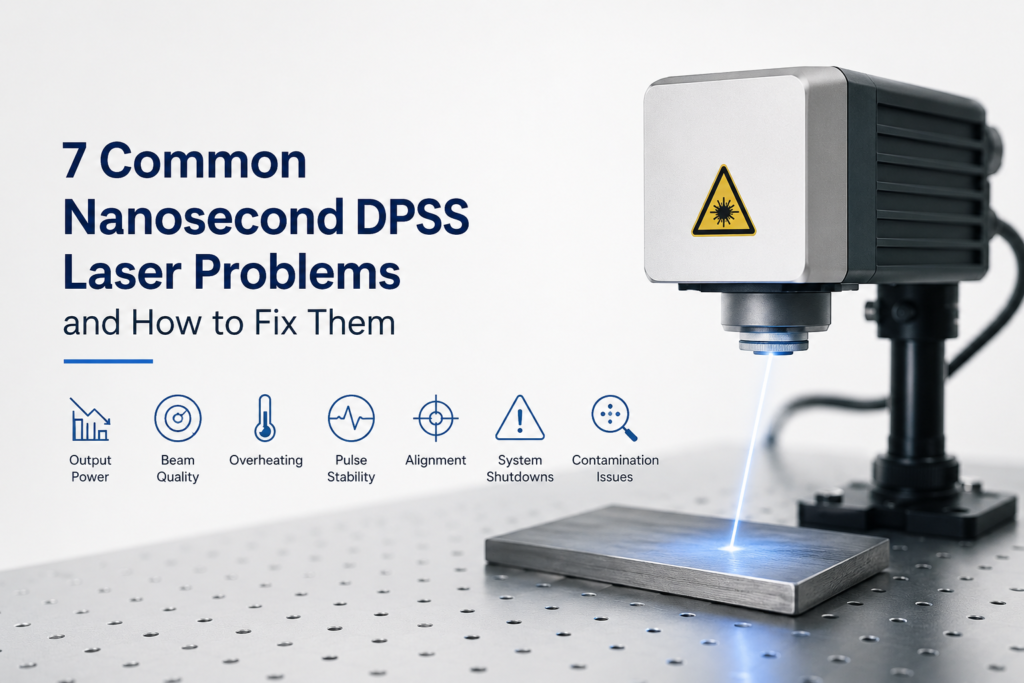
In this guide, we’ll explore the seven most common Nanosecond DPSS Laser problems, explain what causes them, and share practical solutions to help you maintain stable performance. Whether you operate a research laboratory or a high-volume manufacturing facility, these troubleshooting tips will help you get the most from your laser investment.
Why Regular Laser Maintenance Is More Important Than Ever
Manufacturers often focus on increasing production speed, but maintaining laser stability is just as important. Even a slight variation in beam quality or pulse energy can lead to poor engraving, inaccurate cutting, rejected components, and unnecessary material waste.
For industries such as electronics, aerospace, photovoltaic manufacturing, and semiconductor production, consistent laser performance directly impacts productivity and profitability.
Routine inspection and preventive maintenance provide several long-term benefits:
- Higher production accuracy
- Stable pulse performance
- Reduced machine downtime
- Lower maintenance expenses
- Longer equipment lifespan
- Better return on investment
Many manufacturers using advanced solid-state laser technology now schedule preventive maintenance instead of waiting for equipment failures. This proactive approach helps minimize unexpected production interruptions while improving overall system reliability.
1. Declining Output Power
One of the earliest signs of a performance problem is a gradual reduction in laser output power. Operators may notice weaker engraving, inconsistent marking depth, or slower material processing. If ignored, this issue can significantly reduce production efficiency.
What Causes Output Power Loss?
Several factors can contribute to declining laser performance:
- Dust or contamination on optical components
- Aging pump diodes
- Misaligned optical elements
- Cooling system inefficiency
- Natural wear after extended operating hours
Even small amounts of contamination on mirrors or lenses can reduce energy transmission, affecting the overall performance of your Nanosecond DPSS Laser.
How to Fix It
Begin by inspecting all optical components using approved cleaning procedures. Dirty optics are one of the easiest issues to resolve and often restore performance immediately.
Next, verify that the cooling system is operating within the recommended temperature range. Excessive heat accelerates component wear and reduces output stability.
Finally, schedule regular inspections of pump diodes and optical alignment. Preventive maintenance is almost always less expensive than emergency repairs.
Practical Tip
Keep a maintenance log that records operating hours, output measurements, and service dates. Tracking performance trends makes it easier to identify problems before they affect production.
Application Insight
Manufacturers using laser marking systems for serial numbers, QR codes, and precision engraving often discover that declining output power results in inconsistent marking quality. Early maintenance helps maintain production standards while reducing material waste.
2. Poor Beam Quality
Excellent beam quality is essential for precise material processing. When beam characteristics begin to deteriorate, manufacturers often experience rough edges, inconsistent engraving depth, or reduced machining accuracy.
This issue becomes particularly noticeable in applications requiring micron-level precision.
Common Causes
Poor beam quality is typically linked to:
- Dirty focusing lenses
- Optical misalignment
- Mechanical vibration
- Damaged mirrors
- Thermal instability
Facilities operating around the clock are more likely to encounter these issues if routine inspections are delayed.
How to Improve Beam Quality
Inspect optical surfaces regularly and replace damaged components when necessary. Never continue production with cracked or scratched optics, as they can further degrade beam performance.
Machine vibration should also be minimized. Loose mounting brackets or unstable workstations can alter beam alignment and reduce processing accuracy.
Maintaining a consistent operating temperature is equally important, especially for facilities using a High repetition DPSS laser where continuous operation generates additional heat.
Why Beam Stability Matters
Stable beam quality helps achieve:
- Cleaner processing results
- Higher manufacturing precision
- Faster production speeds
- Better product consistency
- Lower rejection rates
For industries involved in precision laser processing, beam quality often determines the overall success of the manufacturing process.
Industry Example
A consumer electronics manufacturer experienced inconsistent engraving quality during high-volume production. After inspecting the optical path and replacing contaminated lenses, beam quality returned to normal, reducing rejected parts and improving overall production consistency. Similar optimization strategies are commonly recommended by laser solution providers, including companies such as Solid Laser, when troubleshooting industrial laser systems.
3. Excessive Heat Generation
Heat is one of the biggest factors affecting long-term laser reliability. Although modern Nanosecond DPSS Laser systems are designed for continuous industrial operation, excessive temperatures can reduce efficiency, shorten component lifespan, and create unstable pulse performance. Ignoring temperature warnings often results in unexpected downtime.
Warning Signs
Watch for these symptoms:
- Frequent overheating alarms
- Reduced output power
- Automatic system shutdowns
- Fluctuating pulse energy
- Increased cooling fan activity
If several of these symptoms appear together, the cooling system should be inspected immediately.
Why Overheating Happens
The most common causes include:
- Blocked cooling channels
- Dirty heat exchangers
- Low coolant levels
- Cooling pump failure
- Poor ventilation around the equipment
Facilities operating a High energy solid state laser often require more advanced thermal management because higher pulse energies naturally generate additional heat.
Solutions
Inspect coolant flow regularly and replace coolant according to the manufacturer’s recommendations. Clean air filters and heat exchangers to maintain efficient heat transfer. Ensure sufficient airflow around the laser cabinet and avoid placing equipment in excessively hot environments.
Monitoring operating temperatures through built-in diagnostic software can also help identify cooling problems before they become critical.
Best Practice
Instead of waiting for temperature alarms, perform monthly inspections of the complete cooling system. Preventive maintenance significantly reduces the likelihood of unexpected production interruptions.
Emerging Technologies Improve Reliability
Many manufacturers are now combining traditional DPSS technology with advanced solutions such as Sub-nanosecond pulsed laser systems to achieve greater processing precision while reducing thermal effects on sensitive materials.
Similarly, laboratories using a LIBS Laser Source for elemental analysis rely on stable pulse energy and excellent beam quality to ensure accurate measurement results. These applications highlight why maintaining optimal laser performance is essential across both industrial and scientific environments.
4. Inconsistent Pulse Energy
Stable pulse energy is one of the most important factors in achieving accurate and repeatable laser processing. Even slight fluctuations can affect engraving depth, cutting quality, or material removal, especially in industries where precision is critical.
If your Nanosecond DPSS Laser delivers inconsistent pulse energy, you may notice uneven marking results, irregular machining patterns, or variations in production quality.
Common Causes
Several factors can lead to pulse instability, including:
- Power supply fluctuations
- Pump diode degradation
- Optical cavity misalignment
- Temperature variations
- Aging electronic components
These issues are often gradual, making them difficult to detect until product quality begins to decline.
How to Fix It
Start by checking the stability of the power supply and ensuring the laser operates within the recommended environmental conditions. Inspect optical alignment and monitor pump diode performance during scheduled maintenance.
Many manufacturers also use built-in diagnostic software to monitor pulse energy over time. This allows operators to identify performance changes before they become production problems.
Best Practice
Create a preventive maintenance schedule that includes pulse energy testing every few months. Tracking these values helps identify component wear early and reduces unexpected downtime.
5. Optical Contamination Reducing Processing Accuracy
Optical contamination is one of the most overlooked causes of poor laser performance. Dust particles, oil residue, smoke, and airborne contaminants gradually accumulate on mirrors, protective windows, and focusing lenses.
Even a small amount of contamination can reduce energy transmission and affect the overall efficiency of a Nanosecond DPSS Laser.
Warning Signs
Look for these common symptoms:
- Reduced engraving depth
- Lower cutting efficiency
- Uneven processing results
- Increased heat generation
- Unexpected power loss
Facilities operating in dusty production environments are particularly vulnerable if cleaning schedules are inconsistent.
How to Fix It
Inspect optical components regularly using approved cleaning materials and techniques. Avoid touching optical surfaces directly, as fingerprints can permanently damage sensitive coatings.
If scratches or coating damage are visible, replace the component instead of attempting to polish it. Maintaining a clean production environment also helps reduce future contamination.
Industry Insight
Manufacturers involved in laser marking systems and laser micromachining often achieve longer optical component life simply by improving air filtration around their production equipment.
Quick Maintenance Checklist
Before starting production each day, check:
- Optical windows
- Focusing lenses
- Cooling system
- Dust filters
- Laser cabinet ventilation
A few minutes of inspection can prevent hours of unexpected downtime.
6. Laser Alignment Problems
Accurate beam alignment is essential for achieving repeatable processing results. Even a slight shift in alignment can reduce cutting accuracy, create uneven engraving, or lower overall production efficiency.
Laser alignment problems may develop gradually due to machine vibration, transportation, accidental impacts, or normal mechanical wear.
Common Symptoms
Operators often notice:
- Off-center engraving
- Poor cutting accuracy
- Reduced beam quality
- Lower processing speed
- Increased material waste
If these symptoms appear together, alignment should be checked immediately.
How to Correct Alignment
Begin by inspecting the optical path and confirming that mirrors and lenses remain correctly positioned. Follow the manufacturer’s alignment procedures using appropriate measuring equipment instead of making adjustments by estimation.
If repeated alignment issues occur, inspect the machine frame for vibration or loose mounting hardware.
Why Proper Alignment Matters
A properly aligned Nanosecond DPSS Laser provides:
- Better processing accuracy
- Consistent product quality
- Improved beam efficiency
- Lower operating costs
- Reduced material waste
For industries processing delicate materials, alignment accuracy can significantly influence production yield.
Industry Example
A precision electronics manufacturer experienced recurring alignment issues after relocating production equipment. Following a complete optical realignment and vibration assessment, processing accuracy improved noticeably. Similar optimization methods are commonly recommended by experienced laser manufacturers, including companies such as Solid Laser, when supporting industrial production environments.
7. Unexpected System Shutdowns
Unexpected shutdowns are among the most frustrating issues for production teams. In addition to interrupting operations, frequent shutdowns can delay deliveries, increase labor costs, and reduce equipment reliability.
Although shutdowns may seem like major equipment failures, they are often triggered by built-in protection systems designed to prevent damage.
Possible Causes
Common reasons include:
- Cooling system faults
- Temperature protection activation
- Power supply instability
- Control system errors
- Sensor failures
Ignoring repeated shutdowns can eventually lead to more serious component damage.
Recommended Solution
Begin troubleshooting by reviewing the system’s diagnostic logs. Most modern laser systems record fault history, making it easier to identify recurring issues. Inspect cooling performance, verify electrical connections, and check sensor operation before restarting production.
If shutdowns continue, schedule a complete technical inspection rather than repeatedly resetting the system.
Preventive Maintenance Tips
To reduce unexpected shutdowns:
- Monitor operating temperatures daily
- Keep cooling systems clean
- Maintain stable electrical power
- Replace worn components before failure
- Update control software when recommended
Preventive maintenance remains one of the most effective ways to maximize the service life of a Nanosecond DPSS Laser.
How Choosing the Right Laser Technology Reduces Future Problems
Not every manufacturing application requires the same laser configuration. Selecting equipment based on material type, pulse energy, wavelength, and production speed helps prevent many of the problems discussed above.
- High repetition DPSS laser: Often preferred for high-speed production where consistent pulse frequency is essential.
- Sub-nanosecond pulsed laser: Offers greater precision and reduced thermal effects for delicate materials.
- High energy solid state laser: Better suited for demanding industrial applications requiring greater processing power.
- LIBS Laser Source: Commonly selected for spectroscopy and elemental analysis, where stable pulse energy directly influences measurement accuracy.
Evaluating application requirements before purchasing new equipment helps manufacturers improve productivity while minimizing long-term maintenance costs.
Industry Example: How Preventive Maintenance Improved Production Efficiency
A consumer electronics manufacturer in China was facing recurring production delays caused by unstable beam quality and inconsistent pulse energy. These issues resulted in uneven laser marking, increased product rejection rates, and frequent maintenance interruptions.
After conducting a complete system evaluation, the engineering team identified several underlying problems, including contaminated optics, an inefficient cooling system, and minor optical misalignment. Instead of replacing the entire laser system, they optimized the existing setup by introducing a preventive maintenance schedule, improving temperature control, and replacing worn optical components.
During the evaluation process, the team also reviewed technical recommendations from several industrial laser solution providers, including Solid Laser, to compare maintenance practices and system optimization methods. By implementing these best practices, the manufacturer achieved more stable laser performance, improved processing accuracy, and significantly reduced unplanned downtime.
The case demonstrates that many Nanosecond DPSS Laser problems can be solved through regular maintenance and proper system optimization rather than costly equipment replacement.
Best Practices to Keep Your Nanosecond DPSS Laser Running Efficiently
Following a consistent maintenance routine helps prevent unexpected failures and extends the lifespan of your equipment.
Recommended Maintenance Checklist:
- Clean optical components regularly using approved materials
- Monitor coolant quality and operating temperature
- Check beam alignment during scheduled maintenance
- Record output power and pulse energy trends
- Keep the production environment clean and dust-free
- Replace worn components before they fail
- Train operators to recognize early warning signs
Small preventive actions today can help avoid expensive repairs and production downtime in the future.
Conclusion
A Nanosecond DPSS Laser is a powerful solution for precision manufacturing and scientific applications, but like any advanced technology, it performs best when properly maintained. Issues such as declining output power, poor beam quality, overheating, pulse instability, optical contamination, alignment errors, and unexpected shutdowns can all impact productivity if left unresolved.
The encouraging news is that most of these problems develop gradually and can be prevented through routine inspections, timely maintenance, and correct system configuration. Investing in preventive care not only improves production efficiency but also extends equipment life and reduces long-term operating costs.
When evaluating laser technologies or planning a new project, it’s worth comparing technical expertise, application support, and system reliability from established manufacturers. Many businesses review solutions from companies such as Solid Laser alongside other suppliers to identify the most suitable option for their processing requirements.
Making informed decisions today can help ensure stable performance, higher product quality, and reliable operation for years to come.
Whether you’re upgrading an existing production line or selecting a laser system for a new project, choosing the right configuration is essential for long-term performance. Request a Technical Consultation and discuss your processing requirements with experienced laser specialists.
FAQs About: Nanosecond DPSS Laser Problems and Maintenance
1. What is a Nanosecond DPSS Laser used for?
2. Why does laser output power decrease over time?
3. How often should a DPSS laser be serviced?
4. Can overheating damage laser components?
5. Which industries benefit most from Nanosecond DPSS Lasers?